
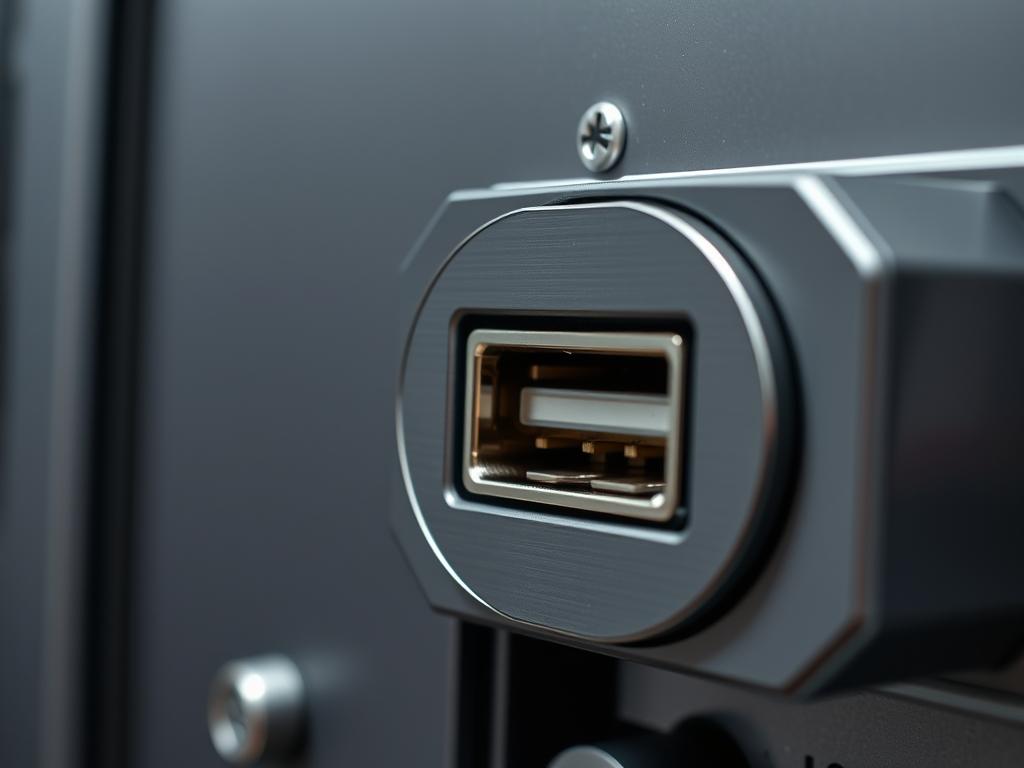
USB Port Disabling represents a fundamental hardening requirement for servers residing in edge computing environments or critical infrastructure sites such as power substations and water treatment facilities. In these high-stakes deployments; the physical server remains a vulnerable endpoint if peripheral interfaces are left active. Unauthorized physical access to a USB port allows for the injection of malicious HID (Human Interface Device) payloads; which can bypass traditional network-level security measures through local keyboard emulation. Furthermore; data exfiltration via mass storage devices presents a significant risk to intellectual property and sensitive datasets. By implementing a systematic lockout of the USB bus; architects ensure that the server remains an isolated compute node; reducing the attack surface to only authorized network channels. This architectural decision minimizes the potential for signal-attenuation or interference in sensitive environments while ensuring that the system’s throughput is reserved strictly for primary application workloads. Effective USB Port Disabling involves a multi-layered approach encompassing firmware; kernel modules; and physical obstructions to prevent lateral movement after a physical breach.
Technical Specifications
| Requirement | Default Port/Operating Range | Protocol/Standard | Impact Level (1-10) | Recommended Resources |
| :— | :— | :— | :— | :— |
| Firmware Lock | N/A (Pre-boot) | UEFI/Legacy BIOS | 9 | Admin Password Access |
| Kernel Module | USB Hub / Mass Storage | XHCI/EHCI/OHCI | 8 | modprobe / kmod |
| Udev Rules | Dynamic Device Tree | USB 2.0/3.0/3.1+ | 7 | systemd-udevd |
| Permission Scoping | /dev/bus/usb | POSIX Permissions | 6 | root / sudo |
| Physical Lockout | Physical Port Access | USB Type-A/Type-C | 10 | Port Blockers/Epoxy |
The Configuration Protocol
Environment Prerequisites:
Successful implementation of this protocol requires root or Administrator level permissions on the target host. The server must be running a modern Linux distribution (e.g., RHEL 8+, Debian 11+, or Ubuntu 20.04+) utilizing a kernel version supporting module blacklisting. For hardware-level enforcement; the Motherboard Firmware must support an administrative password to prevent unauthorized BIOS tampering. Ensure that local console access via serial (RS-232) is configured as a fallback; as disabling all USB ports will render USB-connected keyboards inoperable.
Section A: Implementation Logic:
The engineering design for USB Port Disabling follows the principle of Defense in Depth. We begin at the lowest level of the hardware abstraction layer and move upward to the user space. By disabling the XHCI (Extensible Host Controller Interface) or EHCI (Enhanced Host Controller Interface) at the firmware level; we prevent the OS from even perceiving the existence of the USB bus. However; because firmware implementations vary and may be reset via CMOS clearing; we apply a secondary logical layer within the kernel. This involves removing the usb-storage and uas (USB Attached SCSI) modules. By ensuring the kernel cannot load these drivers; we achieve an idempotent state where the presence of a physical device does not trigger a functional payload delivery or data mounting event. This reduces the overhead of the kernel’s polling mechanism and eliminates the risk of buffer overflows within the USB stack.
Step-By-Step Execution
1. Hardening the Firmware (UEFI/BIOS)
Access the server’s UEFI/BIOS interface during the POST (Power-On Self-Test) sequence. Navigate to the “Integrated Peripherals” or “Port Configuration” menu and set all “USB Support” or “External USB Ports” to “Disabled”.
System Note: This action stops the initialization of the USB controller during the boot phase. It prevents the system from recognizing any payload delivered via a bootable USB drive; effectively stopping the attack before the bootloader is even loaded.
2. Blacklisting Kernel Modules
Create a configuration file at /etc/modprobe.d/usb-storage.conf and insert the following line: blacklist usb-storage. Follow this by adding install usb-storage /bin/true.
System Note: Using /bin/true as a dummy install command prevents the module from being loaded even if another service attempts to call it as a dependency. This mitigates the risk of a malicious script forcing the module to load during runtime.
3. Disabling the USB Hub via Udev Rules
Create a new rule file at /etc/udev/rules.d/01-usb-disable.rules and add the following command: ACTION==”add”, SUBSYSTEMS==”usb”, RUN+=”/bin/sh -c ‘echo 0 > /sys$devpath/authorized'”.
System Note: This rule interacts with the sysfs virtual filesystem. When a device is plugged in; the udev daemon immediately sets its “authorized” attribute to 0; which prevents the kernel from initializing the device. This ensures that even if a controller is active; no specific device can achieve a functional state.
4. Removing Runtime USB Modules
Execute the command modprobe -r usb_storage and modprobe -r uas. Use lsmod | grep usb to verify that no drivers are actively associated with the USB bus.
System Note: This command removes the drivers from the current memory space. It is a critical step for systems that cannot be rebooted immediately; ensuring that the protection is active without incurring system downtime.
5. Securing the GRUB Bootloader
Edit the /etc/default/grub file to include the kernel parameter usbcore.nousb within the GRUB_CMDLINE_LINUX_DEFAULT string. Update the configuration using update-grub.
System Note: Passing this parameter to the kernel at boot time tells the usbcore driver not to initialize at all. This is a powerful “kill switch” that operates above the module level but below the user space.
Section B: Dependency Fault-Lines:
A common failure point occurs when remote management controllers; such as iDRAC, ILO, or IPMI; utilize virtual USB media for remote ISO mounting. Disabling the USB bus at the BIOS level or via the usbcore.nousb flag will likely sever the virtual media link; preventing remote OS installations or recovery. Furthermore; if the server utilizes a USB-based software dongle for license verification; these configurations will cause application-level failures. Ensure that the system’s concurrency requirements for valid peripherals are audited before applying global blocks. If a specific device must remain active; you must utilize the “allow-list” approach in udev by filtering for specific Vendor IDs (VID) and Product IDs (PID).
THE TROUBLESHOOTING MATRIX
Section C: Logs & Debugging:
When a USB device is blocked; the system will generate specific log entries. Use dmesg -w or journalctl -f to monitor events in real-time. Look for the error string: “usb-storage: device ignored” or “Device not authorized”. These indicate that your udev rules or blacklisting are functioning. If you see a “Descriptor Read” error; this often points to a physical hardware fault or signal-attenuation within the port itself; rather than a software block.
Path-specific log analysis should focus on /var/log/kern.log. If a device is successfully neutralized; you should see the kernel register the physical connection but fail to assign a driver. If the device still mounts; verify that the file permissions for /etc/modprobe.d/ are set to 644 and owned by root. An incorrect permission set will cause the kernel to ignore the blacklist configuration during the probe sequence. For hardware-level verification; use an oscillometer or a logic-controller to ensure that the +5V power rail is still active if the port is only logically disabled; as some “smart” USB blockers only disable data pins but leave power active; which might still allow for “Juice Jacking” attacks or thermal-inertia issues in high-density racks.
OPTIMIZATION & HARDENING
Performance Tuning:
Disabling the USB stack reduces the interrupt load on the CPU. Each active USB controller periodically polls the bus for new devices; which introduces a small amount of latency in real-time processing environments. By removing these drivers; you eliminate the CPU overhead associated with the USB interrupt service routines (ISRs). This is particularly beneficial in high-frequency trading or industrial control systems where every microsecond of throughput and consistency matters.
Security Hardening:
Beyond software blocks; physical hardening is recommended for high-security zones. Use physical USB port blockers that require a specialized key for removal. For extreme cases; such as “dark” sites; internal USB headers should be physically disconnected from the motherboard; and external ports can be filled with non-conductive epoxy. Ensure that the server’s chassis is locked and equipped with intrusion detection sensors that trigger a “Log Wipe” or “TPM Lockout” if the case is opened without authorization.
Scaling Logic:
In a large-scale data center; implementing these changes manually is non-viable. Utilize configuration management tools like Ansible or SaltStack to push the modprobe and udev configurations across the entire fleet. Ensure the playbooks are idempotent; checking for the existence of the block before attempting to write to the configuration files. This ensures that the security posture remains consistent even as the infrastructure scales from ten servers to ten thousand.
THE ADMIN DESK
How do I re-enable a single port for a license dongle?
Identify the device VID/PID using lsusb. Create a udev rule with ATTRS{idVendor}==”xxxx”, ATTRS{idProduct}==”yyyy”, ATTR{authorized}=”1″ placed before your global disable rule. This ensures the authorized device bypasses the general restriction.
What happens if I disable USB and lose network access?
If BIOS is disabled; you must use a physical serial console cable or a motherboard reset (CMOS clear) to regain access. This is why serial-over-LAN or dedicated management ports are essential prerequisites for this hardening protocol.
Can a “Rubber Ducky” bypass these kernel-level blocks?
Standard kernel blocks prevent the device from acting as a storage volume. However; if the HID (keyboard) subsystem is not specifically disabled; a Rubber Ducky may still simulate a keyboard. You must also blacklist the usbhid module for total protection.
Does disabling USB save power in a significant way?
On a single server; the savings are negligible. However; across a 10,000-node deployment; disabling the active 5V rail on multiple ports reduces the total thermal-inertia of the rack; leading to measurable decreases in cooling requirements and power consumption.
Is there a way to log unauthorized plug-in attempts?
Yes. By using the RUN+=”/usr/bin/logger” parameter in your udev rule; you can send a custom alert to your syslog or SIEM whenever a blocked device is inserted; providing an audit trail for physical security breaches.

